


 Register
 Log In
 Home
Home


Range Officer

Range Officers

Dans Club
February 28, 2009
 Offline

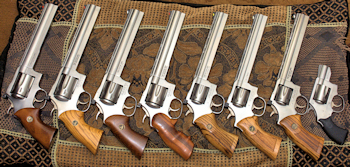
I finally figured out that i had to upload my pics to Photobucket before I could post them here. So, I downsized them to 1024x768 and put them on photobucket. Then I tried to create a posting with the pics. However, the pic shows up in a scrollable window instead of a reduced size pic.
What am I doing wrong??
Thanks,
Mike

January 22, 2008
Offline
Mike,
Once you get your photo's uploaded to Photobucket. Copy the direct link from Photobucket then click on the small tree icon when you are creating your post. Paste your url to the 'Image URL'. Add an image description and hit okay. It should then display in your post.
Hope this helps.
Jody


Range Officer
Range Officers
Dans Club
February 9, 2009
Offline
Zoommb,
I had the problem you did at first. I had to "resize" the photo at photobucket to avoid the scrolling problem. It took me about 4-tries to get it right. Finally one fit. They have a resize photo button right on the page.
SMF
A man cannot have too many SuperMags

Dans Club
March 2, 2008
Offline
I usually save a COPY on Photobucket in the Medium size (320x240) and post the link to that one. If you save and replace, you lose your original megapixel photo
Steve
I went to a bookstore and asked the saleswoman "Were is the Self Help Section?" She said if she told me, it would defeat the purpose.
George Carlin
Range Officer
Range Officers
Dans Club
February 28, 2009
Offline
Thanks Steve.
It took me a while to figure all that out too. I think we need someone to write a step by step for newbies.
Jody???
-Mike

Supporter

Moderators
January 24, 2009
Offline
zoommb said:
It took me a while to figure all that out too. I think we need someone to write a step by step for newbies.

https://www.danwessonforum.com/?page_id=3/forum-issues-and-questions/how-to-post-images


1 Guest(s)
